Shared Order™ Tutorial
How It Works: Video Walkthrough
How It Works: Written Walkthrough
Leader Guide Click to Expand
Sign In to Your Account. You must be a registered customer, so if you don't have an account yet, now is a great time to create one!
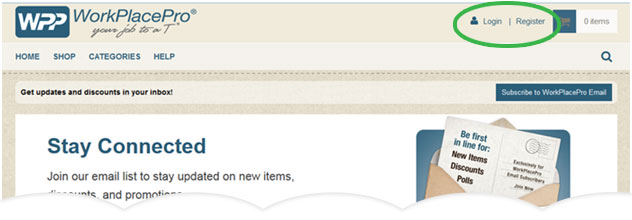
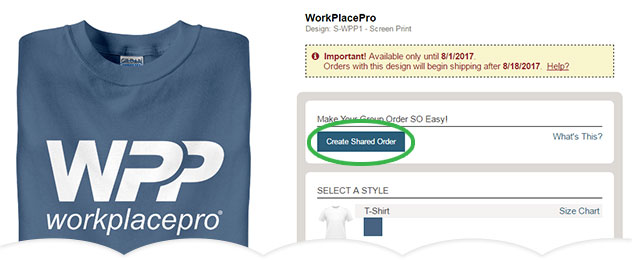
Once you're signed in, go to the product page for the design you want, and click the "Set Up a Shared Order" button. The setup wizard will appear to walk you through the process in a few easy steps.
Start with your shipping address - all the items for your group will be sent to the address entered.
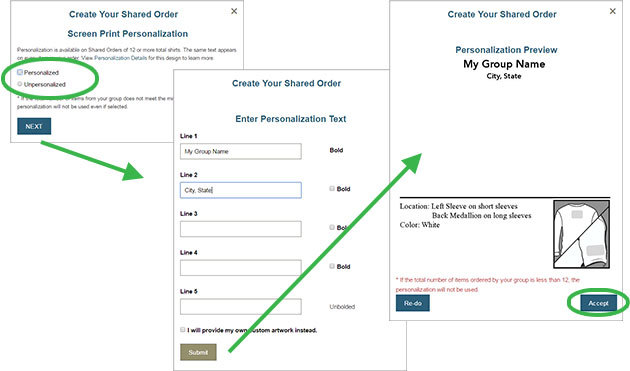
Choose whether you want your items personalized. All items in your shared order will receive what YOU choose.
If you picked personalization, type in the text you want. Preview what it will look like, and choose to either "Re-Do" and make changes, or "Accept" what you see.
Note that you need at least 6 items total to meet the personalization minimum, so encourage everyone to participate!
Make It a Fundraiser and let your Shared Order help support your event or group!
When you choose "Yes, make this a fundraiser" you can also set how much you want to earn for each item sold. Fill in who the fundraising check will be written to, and write a friendly description so people will know they're helping a great cause.

Select Additional Designs. Choose more options for your group to order!
Click the "Add Additional Designs" button to see all available options. Check what you like, and click "Finished Adding Designs" when you're set.

Take one more look at all your information to make sure it's correct, noting your Order Deadline and Ship After date. Remember to enter your Promo Code if you have one! Once everything looks good, click Submit.
Check your inbox and share the link! An email with your unique Shared Order Link should arrive within a few minutes. Forward that email to your group to let them know it's time to order, along with any comments you want to add. Each person can pick their own items and pay individually.
Remember to order for yourself! Don't forget: the first step was creating the shared order, so you must use the link to order for yourself too so you're not left out!
We'll keep you updated on how you're doing: one week before your deadline, you'll get an email letting you know who's ordered so far. It's a good time to remind your group members to put their orders in before it's too late!
After the deadline, you'll get a final email with the complete list of items from your group. We'll take care of grouping everything together and ship your items out after the date shown. We'll also send you a summary sheet letting you know who gets what to make handing everything out a breeze.
Buyer Guide Click to Expand
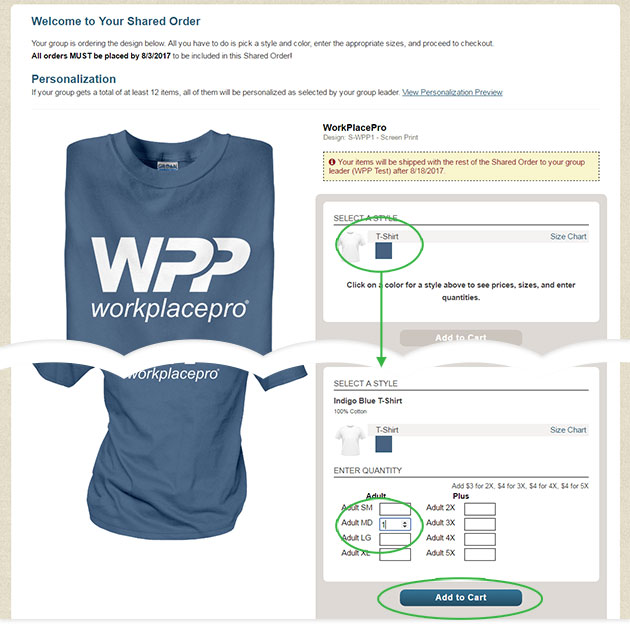
You will receive an email from your group leader sending you the unique link for your group's shared order! Click the link in the email to go to your group's exclusive order page. Make sure you do so by the deadline date listed in the email!
Pick the items you want by clicking a design, then choose a color to see sizes and enter how many you want in the quantity boxes. Once you're set, add the items to your Cart.
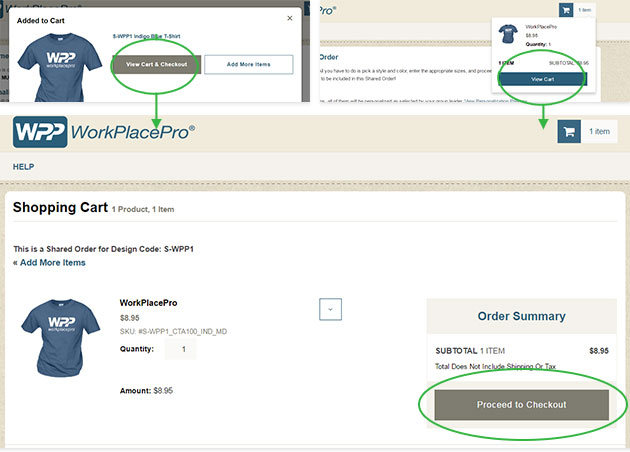
When ready, you can View your Cart and Proceed to Checkout. Sign in if you have an account, or if not, either create one or check out as a Guest.
No need to enter a shipping address - your items will be sent together with the rest of your group to the address shown. Click "Continue" to fill out your Payment Method and Billing Address.
Review all your information and click "Place Order" if everything is correct.
You're all done! Sit back and let your group leader handle the rest! All items will be shipped to your leader about 2 weeks after the deadline date.
Shop Shared Order Items